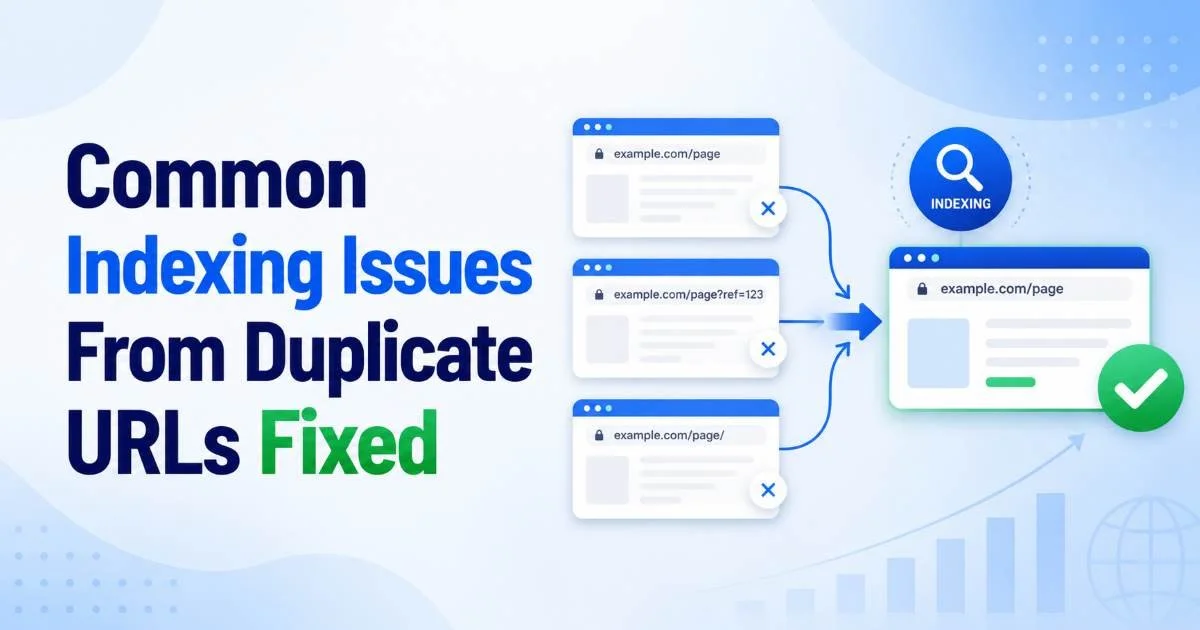
Indexing issues caused by duplicate URLs are among the most persistent and frustrating problems intermediate SEO practitioners face. When search engines encounter multiple URLs serving identical or near-identical content, they struggle to determine which version belongs in the index. The result? Crawl budget waste, diluted link equity, and pages that simply vanish from search results. These problems don't always announce themselves with dramatic ranking drops.
Sometimes they quietly erode performance over weeks or months, making them hard to diagnose without deliberate investigation. Understanding how canonical tag conflicts contribute to these failures is the first step toward a permanent fix. This guide walks you through four concrete steps to identify, diagnose, and resolve the most common duplicate URL indexing failures.
Key Takeaways
- Duplicate URLs fragment crawl budget and prevent correct pages from being indexed.
- Google Search Console's Index Coverage report is your fastest diagnostic starting point.
- Canonical tags must point to a single, consistent preferred URL for every page.
- Conflicting signals between sitemaps, canonicals, and redirects cause indexing confusion.
- Regular audits catch duplicate URL problems before they damage organic traffic significantly.
Step 1: Identify Duplicate URLs Causing Indexing Problems
Check Search Console Coverage Reports
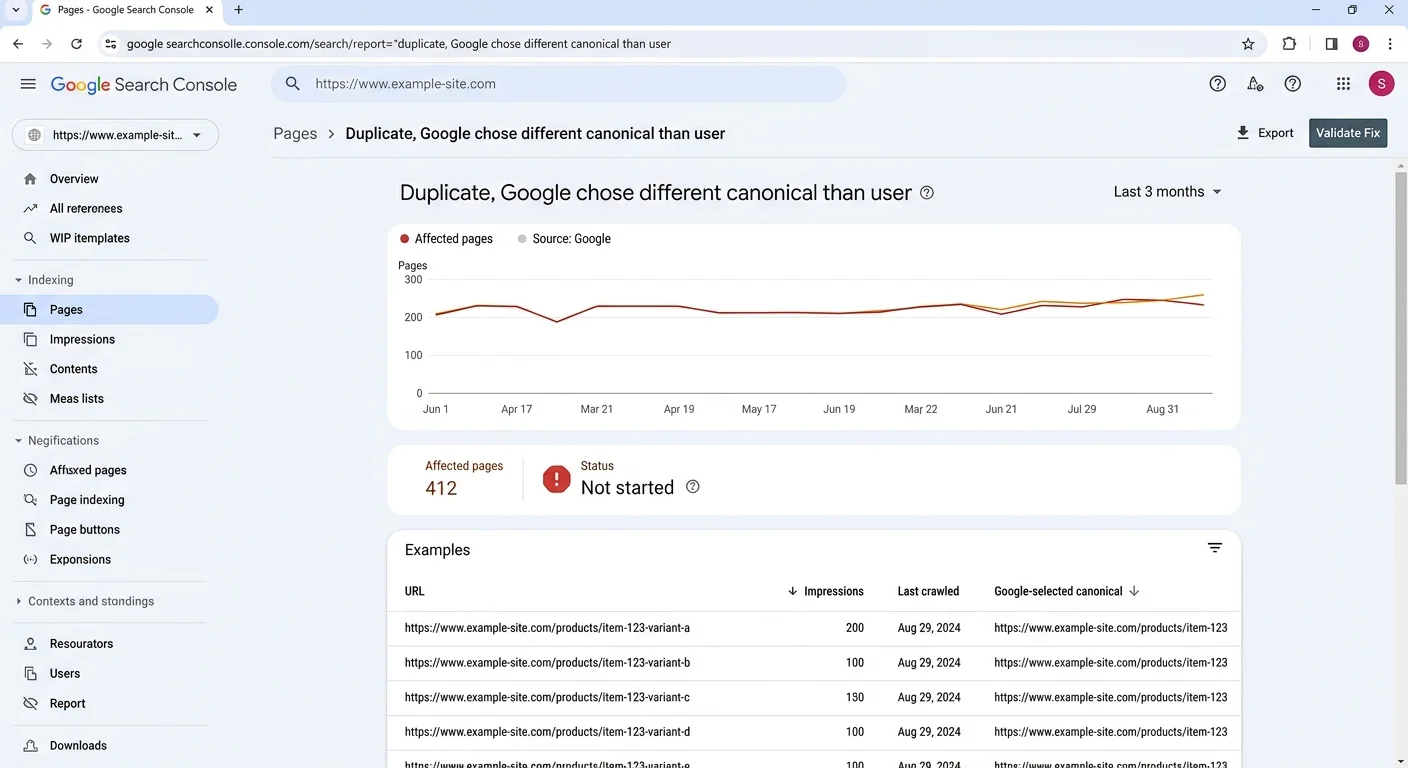
The Google Search Console Index Coverage report is your best free tool for spotting indexing issues tied to duplicate content. Look specifically for two status labels: "Duplicate without user-selected canonical" and "Duplicate, Google chose different canonical than user." Both indicate that Google found multiple URLs with the same content and made its own decision about which to index. These entries directly reveal where your canonicalization strategy is failing or missing entirely.
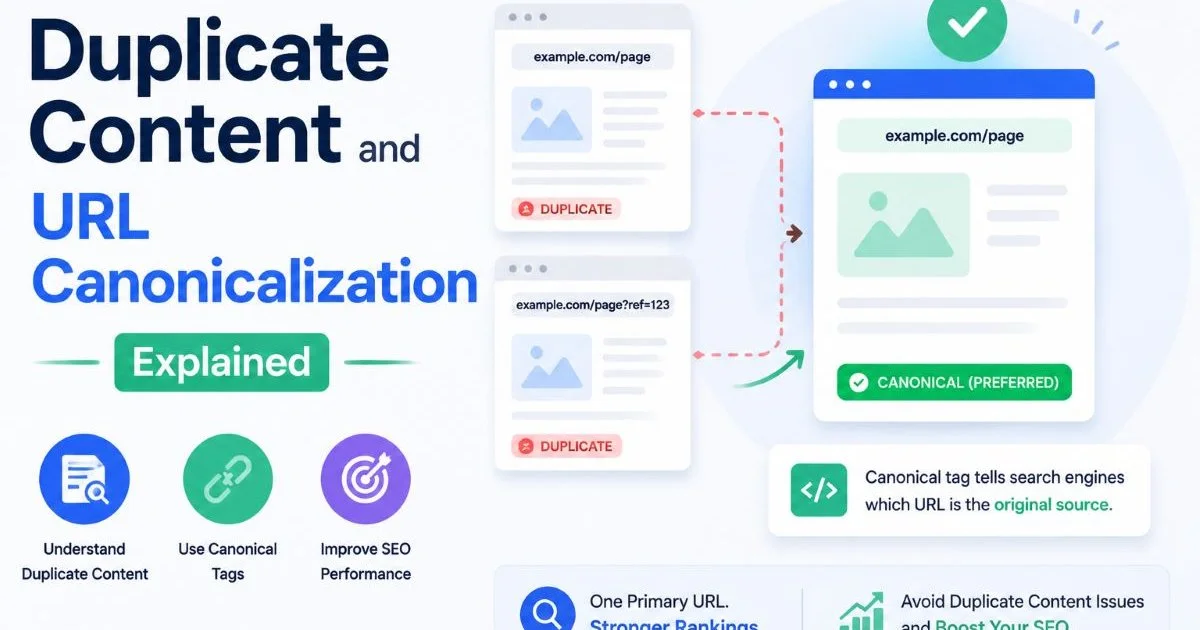
Export the full list of affected URLs from the report and sort them by pattern. You'll often find clusters of duplicates caused by the same root issue, such as trailing slashes, HTTP vs. HTTPS variations, or query parameters appended by analytics tracking. For a deeper understanding of why these duplicates matter, read Duplicate Content and URL Canonicalization Explained. Grouping by pattern helps you prioritize the highest-impact fixes first.
Crawl Your Site Systematically
Search Console only shows what Google has already discovered. To find duplicates proactively, run a full site crawl with a tool like Screaming Frog, Sitebulb, or Ahrefs Site Audit. Configure the crawl to flag pages returning identical content hashes, pages with missing canonical tags, and URLs with conflicting canonical declarations. This approach catches problems before they affect your index, not after.
Pay special attention to pagination, faceted navigation, and product variant pages. E-commerce sites are particularly vulnerable because filtering and sorting mechanisms can generate hundreds of duplicate URLs from a single product listing page. A site with 5,000 products and ten filter combinations could theoretically produce 50,000 indexable URLs, most of them duplicates. Identifying these programmatic duplicates early prevents massive crawl budget waste.
Run site crawls monthly and compare results against your previous crawl to catch new duplicate URLs before Google indexes them.
Step 2: Diagnose Conflicting Canonicalization Signals
Audit Canonical Tag Implementation
Once you've identified duplicate URLs, the next step is examining what signals each page sends to search engines. Open the HTML source of each duplicate and check the rel="canonical" tag. Common problems include canonical tags pointing to non-existent pages (404s), canonicals referencing redirecting URLs, and pages where the canonical tag is entirely absent. Each of these scenarios forces Google to guess which URL should be indexed, and its guess may not match yours.
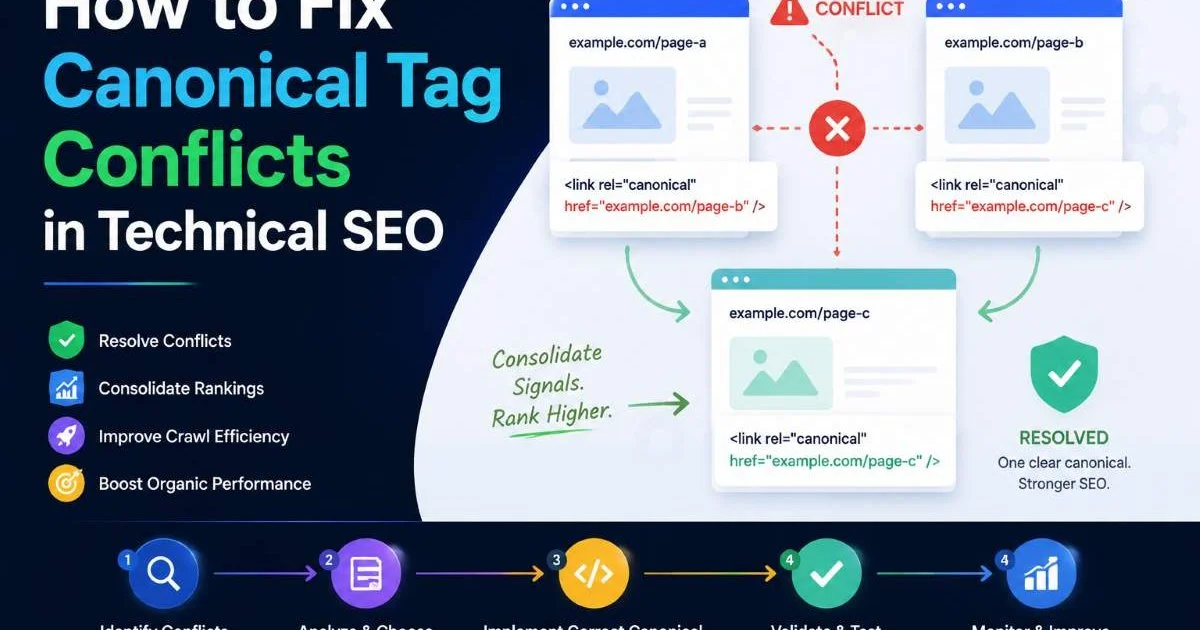
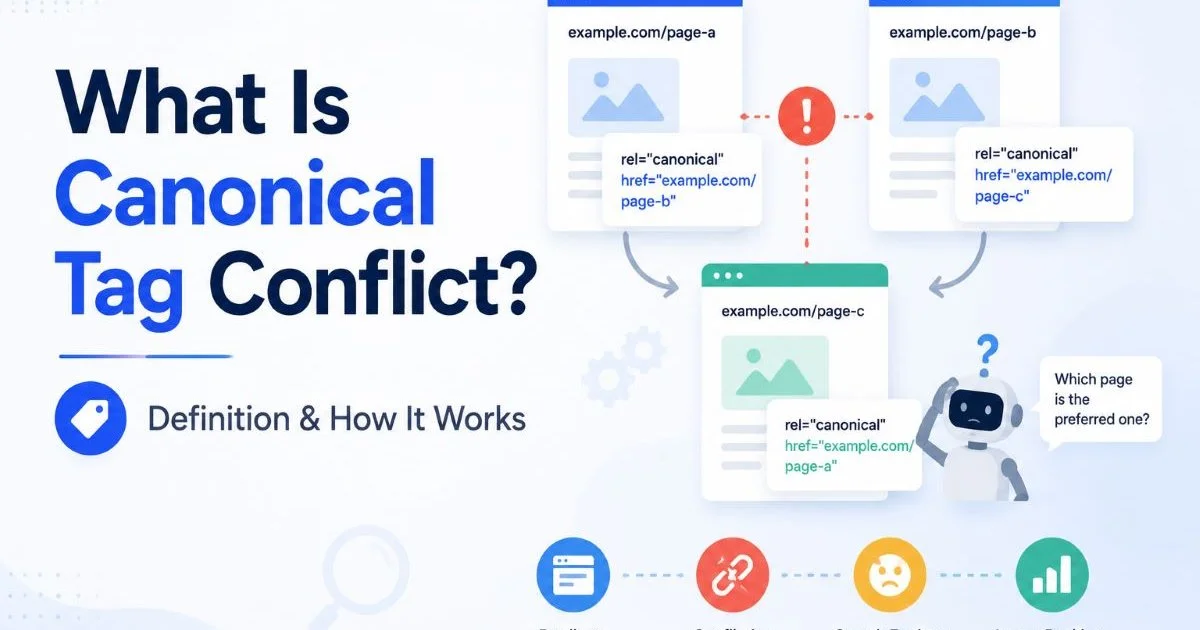
Another frequent issue is canonical chains, where page A canonicalizes to page B, which canonicalizes to page C. Google can follow one hop, but chains of three or more often get ignored. If you need help resolving these conflicts systematically, the guide on how to fix canonical tag conflicts in technical SEO covers the resolution process in detail. Always verify that every canonical tag points directly to the final preferred URL without intermediate steps.
Never place canonical tags inside the body element. Google only respects canonical tags within the head section of the HTML document.
Cross-Reference Sitemaps and Redirects
Canonical tags don't operate in isolation. Google weighs them alongside your XML sitemap, internal linking patterns, redirect chains, and hreflang declarations. If your sitemap lists URL version A but your canonical tag points to version B, you've created a conflict that undermines both signals. Checking your XML sitemap for SEO issues should be part of every duplicate URL audit. Consistency across all signals is what makes canonicalization work reliably.
Build a simple spreadsheet mapping each duplicate URL to its canonical tag target, its sitemap inclusion status, any redirect behavior, and its internal link profile. This cross-reference exercise almost always reveals contradictions you wouldn't catch by examining any single signal alone. For example, you might find that your CMS generates sitemap entries for URLs you've already canonicalized elsewhere, sending Google mixed messages about your preferred version.
"The most common cause of failed canonicalization isn't a missing tag; it's contradictory signals across sitemaps, redirects, and internal links."
| Signal Conflict | What Google Sees | Likely Outcome |
|---|---|---|
| Canonical says A, sitemap includes B | Contradictory preference | Google may index B instead of A |
| Canonical says A, 301 redirects to C | Tag/redirect mismatch | Google follows redirect, ignores canonical |
| No canonical, both in sitemap | No declared preference | Google picks one arbitrarily |
| Canonical says A, internal links point to B | Weak canonical signal | Google may prefer B due to link equity |
| Canonical chain: A → B → C | Ambiguous target | Google may ignore chain entirely |
Step 3: Implement Correct Canonical Tags and Redirects
Choose Canonicals or Redirects
Not every duplicate URL problem calls for the same solution. When two URLs serve truly identical content and you want both to remain accessible (for example, a print-friendly version), a canonical tag pointing to the primary version is the right choice. When a URL should never be visited at all, such as an old URL after a site migration, a 301 redirect is more appropriate. The detailed comparison in Canonical Tags vs 301 Redirects for Duplicate Pages breaks down exactly when to use each approach.
For parameter-based duplicates, such as URLs with tracking codes or session IDs, configure parameter handling in Google Search Console and use canonical tags on the pages themselves. If your CMS appends parameters automatically, work with your development team to either strip unnecessary parameters server-side or add canonical tags programmatically. Relying solely on Google's parameter handling tool is risky because it only affects Googlebot, leaving other search engines unaware of your preferences.
Set Self-Referencing Canonicals
Every indexable page on your site should include a self-referencing canonical tag, even if no duplicate exists today. This defensive practice protects against future duplicates created by query parameters, affiliate tags, or CMS updates. A self-referencing canonical explicitly tells search engines, "This is the preferred version of this page." Learn the specifics of when and how to deploy them in the guide on self-referencing canonical tags.
When implementing fixes at scale, prioritize pages by traffic and revenue impact. Fix your top 50 landing pages first, then work through category pages, then long-tail content. Use your CMS templating system to add canonical tags dynamically rather than editing pages individually. WordPress plugins like Yoast or RankMath handle this well, while custom-built sites should generate canonical tags in the page template's head section using server-side logic.
Canonical tags are hints, not directives. Google reserves the right to choose a different canonical if it finds stronger signals contradicting your tag.
Step 4: Validate and Monitor Your Fixes Over Time
Request Reindexing and Track Results
After implementing canonical tags or redirects, use the URL Inspection tool in Google Search Console to verify that Google reads the correct canonical for each affected page. Submit updated pages for reindexing individually for high-priority URLs. For bulk changes, submit an updated XML sitemap and let Google recrawl naturally. Don't expect instant results; indexing changes typically take between a few days and several weeks depending on your site's crawl frequency.
Track your progress by re-exporting the Index Coverage report weekly for the first month after fixes. The number of URLs flagged as "Duplicate, Google chose different canonical than user" should decrease steadily. If certain URLs remain stubbornly flagged, revisit your cross-reference spreadsheet. Persistent indexing issues usually indicate a conflicting signal you missed, such as an internal link still pointing to the non-canonical version or a cached sitemap entry that hasn't been refreshed. Visit the Canonical URL Checker blog for more practical technical SEO guides that help you maintain control over how search engines see your site.
Use the "site:" search operator in Google with your duplicate URLs to verify which version actually appears in search results after fixes.
Build Ongoing Monitoring Into Your Workflow
Fixing duplicate URL problems once isn't enough. New duplicates emerge constantly as content is published, URLs are restructured, or CMS plugins add unexpected parameters. Set up automated crawl schedules, monthly at minimum, to catch regressions early. Many technical SEO tools can alert you when new canonical conflicts or duplicate content appears. Treating this as an ongoing process rather than a one-time project is what separates sites with clean indexes from those slowly losing organic visibility.
Consider building a simple dashboard that tracks three metrics over time: total indexed pages versus total pages in your sitemap, the count of duplicate URL warnings in Search Console, and the ratio of canonical-matched versus canonical-mismatched pages. When analyzing large-scale content patterns, tools that use LLMs for summarization can help you quickly parse crawl reports and identify recurring problem areas. These metrics give you an early warning system that catches indexing issues before they impact rankings.
Frequently Asked Questions
?How do I fix 'Duplicate, Google chose different canonical' in Search Console?
?Should I use canonical tags or 301 redirects to fix duplicate URLs?
?How long does it take Google to re-index pages after fixing canonical issues?
?Can query parameters from analytics tracking really cause duplicate URL indexing problems?
Final Thoughts
Duplicate URL indexing issues are solvable, but they require systematic diagnosis rather than guesswork. Start with Search Console data, cross-reference every signal your pages send, implement consistent canonical tags or redirects, and monitor the results over time.
The four-step process in this guide gives you a repeatable framework for keeping your index clean.
Disclaimer: Portions of this content may have been generated using AI tools to enhance clarity and brevity. While reviewed by a human, independent verification is encouraged.