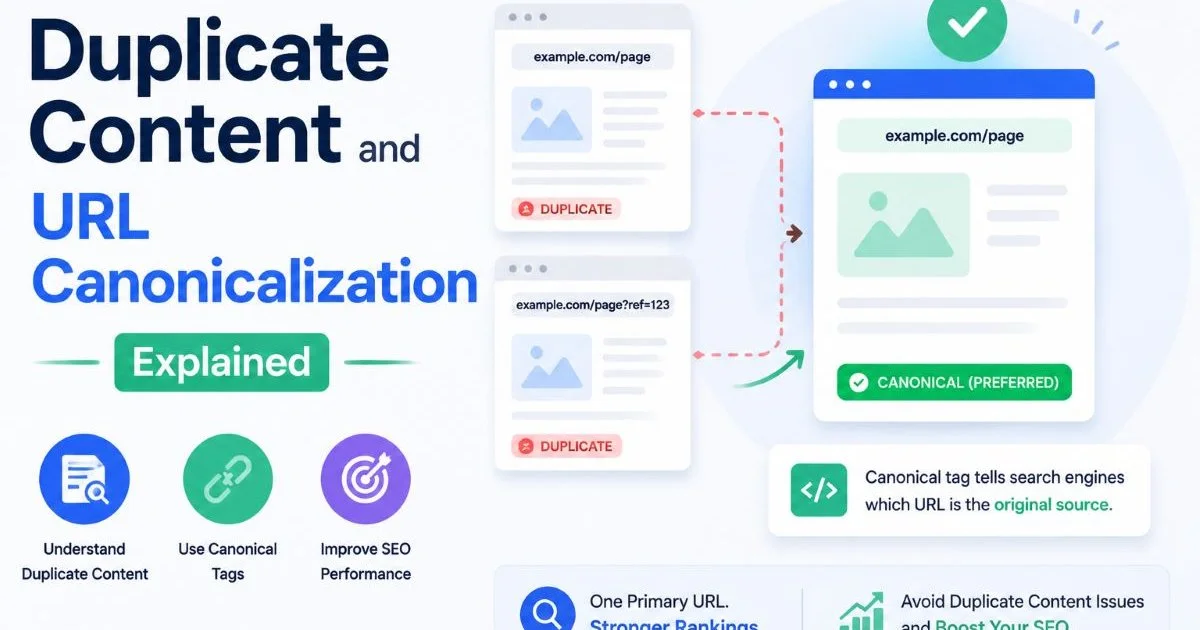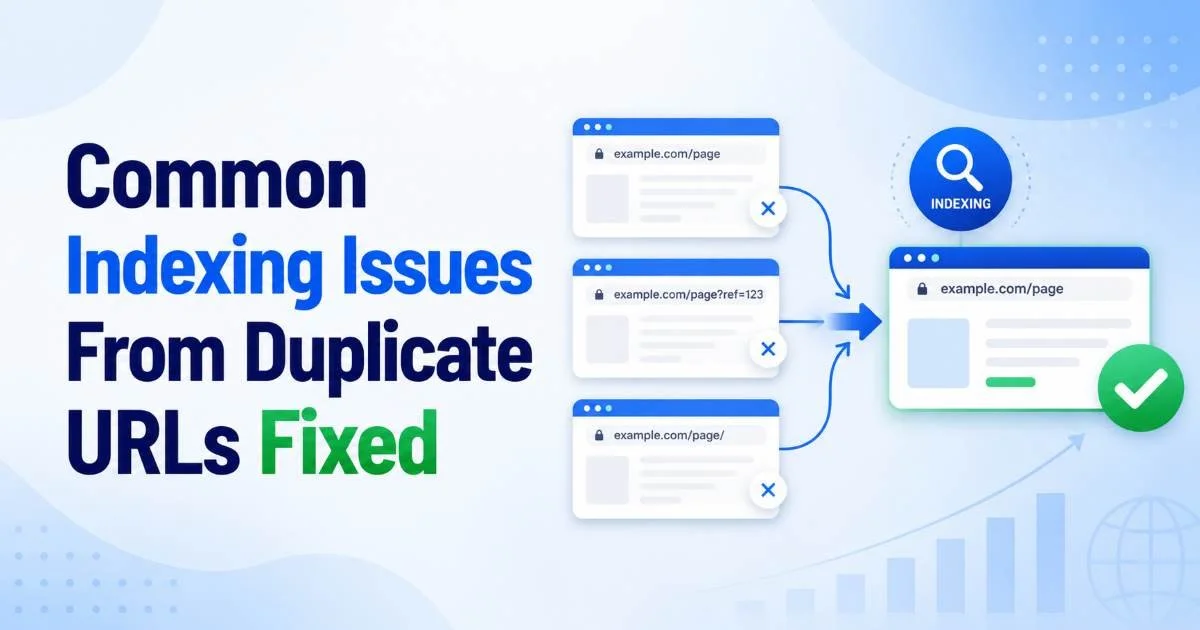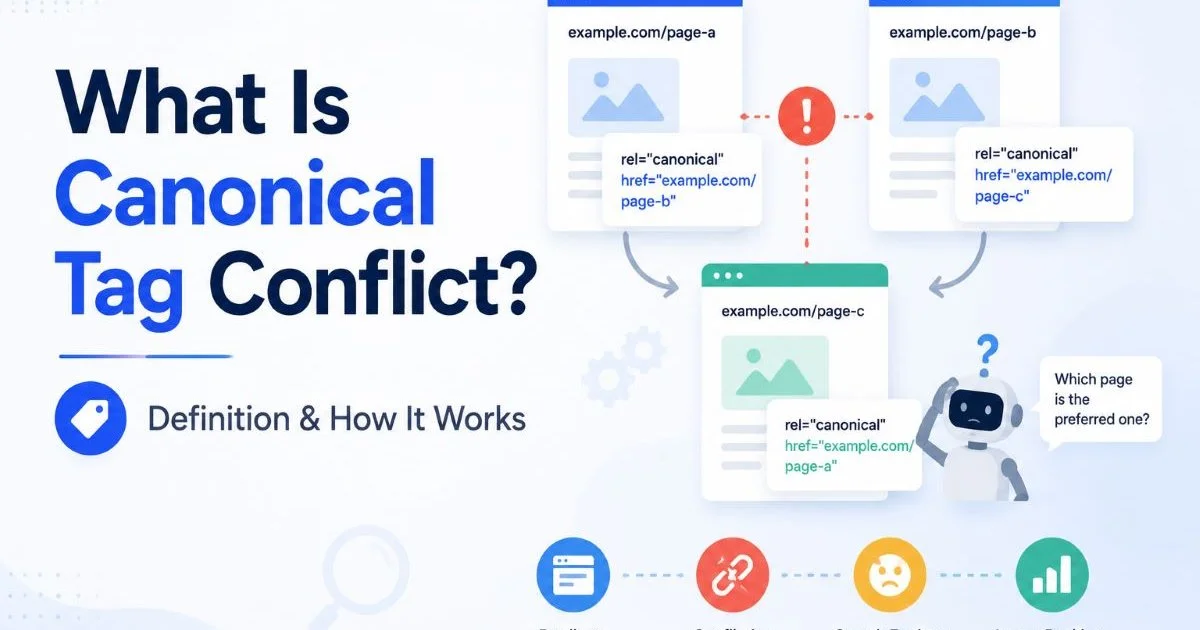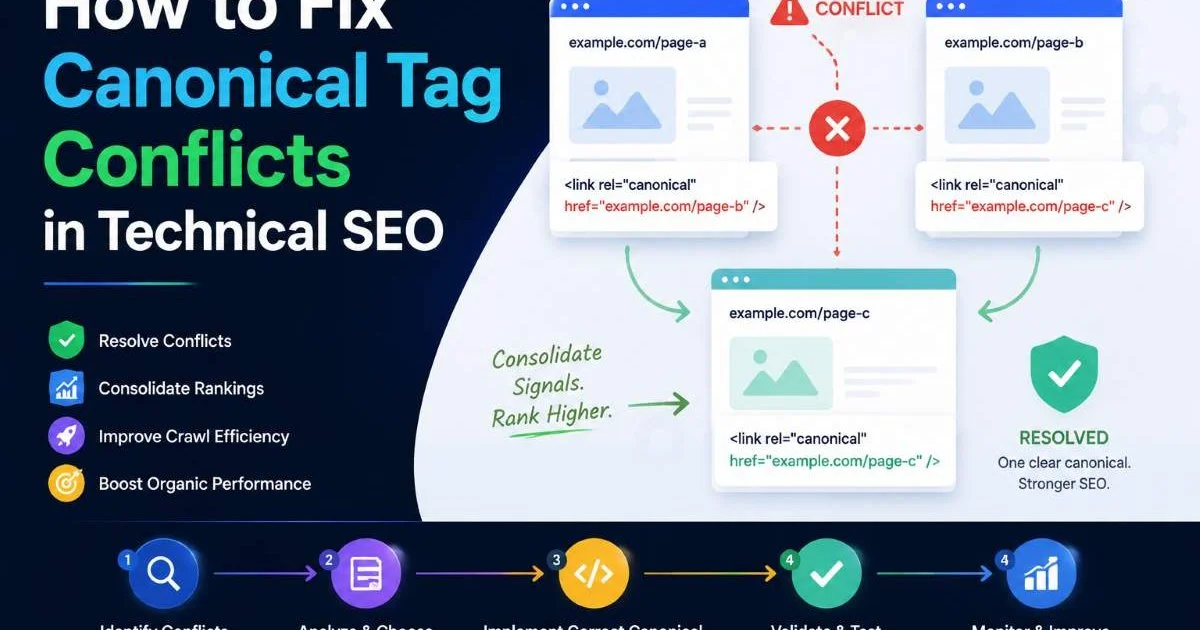
When you need to fix canonical tag conflicts, the process demands more than surface-level troubleshooting. A misconfigured canonical tag can silently undermine your rankings by sending contradictory signals to search engines about which version of a page should appear in results.
For intermediate SEO practitioners, these conflicts often hide in plain sight, buried in CMS defaults, HTTP headers, and sitemap declarations that disagree with each other. The consequences are real: wasted crawl budget, diluted link equity, and pages that simply vanish from the index. This guide walks you through a systematic, four-step process to identify and resolve canonical tag conflicts across your site.
Each step includes specific actions you can take today, not vague advice you have already heard before. Understanding what canonical tag conflicts are and how they work is the foundation, but knowing how to fix them is where real results happen.
Key Takeaways
- Audit every page for mismatched canonical signals before making any changes.
- HTTP header canonicals can override HTML rel-canonical tags without warning.
- Sitemaps should only include URLs that match their declared canonical versions.
- Pagination errors frequently cause unintended canonical conflicts on e-commerce sites.
- Validate your fixes in Google Search Console within two weeks of deployment.
Step 1: Audit All Canonical Signals Across Your Site
Before you change a single line of code, you need a complete picture of every canonical signal your site sends. That means checking the HTML rel-canonical tag, the HTTP Link header, your XML sitemap entries, and any 301 redirects currently in place. Each one can communicate a different "preferred URL" to Google, and when they disagree, you have a conflict. Run a full crawl using a tool like Screaming Frog or Sitebulb, exporting every URL alongside its declared canonical.
Pay close attention to pages that return a 200 status code but point their canonical to a different URL. This is valid behavior for intentional duplicates, but it becomes a problem when CMS plugins or server configurations set these values automatically without your knowledge. WordPress sites with multiple SEO plugins installed are notorious for this. One plugin might add a canonical via the HTML head while another injects it through the HTTP response header.
Common Sources of Conflict
The most frequent culprits include faceted navigation on e-commerce sites, session ID parameters appended to URLs, and paginated content series. Faceted URLs (like /shoes?color=red&size=10) often lack any canonical tag, which means Google treats them as unique pages competing with your main category page. Session IDs create infinite URL variations of the same content. Use your crawl data to build a spreadsheet categorizing each conflict by type, so you can batch your fixes efficiently.
Your canonical URL checker results should also flag pages where the declared canonical URL returns a non-200 status code. A canonical pointing to a 404 page or a redirect chain is worse than having no canonical at all. Google will likely ignore it, leaving the indexing decision entirely up to its own algorithms. Documenting these broken canonicals is the first action item before moving to fixes. Tools designed for technical SEO website scanning can automate much of this discovery.
Export your crawl data and filter by "canonical mismatch" columns to quickly isolate the pages that need attention first.
Step 2: Fix Canonical Tag Mismatches in HTML and Headers
Once your audit is complete, start with the highest-impact conflicts: pages where the HTML canonical tag and the HTTP Link header point to different URLs. This is the most confusing signal you can send to a search engine. Google's documentation states that when multiple canonical signals conflict, it will attempt to pick the best one, but "best" is not always what you intended. The fix is straightforward: choose one method and remove the other, or make them agree.
HTML Tags vs. HTTP Headers
For most websites, the HTML rel-canonical tag in the head section is the right choice. It is easier to manage through CMS templates, visible in page source for quick verification, and widely supported by all major search engines. HTTP Link headers are better suited for non-HTML resources like PDFs or images that cannot contain an HTML head section. If your server is adding a Link header via .htaccess or nginx configuration, and your CMS is also injecting a rel-canonical, you must disable one of them.
When you fix canonical tag mismatches, also verify that the target URL is the version you actually want indexed. A common mistake is canonicalizing to the non-www version when your site resolves on www (or vice versa). Check that your canonical URLs match your preferred protocol (HTTPS, not HTTP) and trailing slash convention. Inconsistency here creates soft duplicates that fragment your ranking signals across multiple URL variations of identical content.
Never set a canonical tag on page A pointing to page B if those pages have substantially different content. Google may ignore the tag entirely.
For large sites, template-level fixes are most efficient. Update your CMS theme or server configuration to dynamically generate the correct self-referencing canonical for each page. Self-referencing canonicals (where a page's canonical points to itself) are a best practice that Google has explicitly recommended. They prevent future conflicts by establishing a clear default, even if parameters get appended to the URL later.
Step 3: Align Sitemaps, Redirects, and Canonical Declarations
Canonical tags do not exist in isolation. Your XML sitemap, redirect rules, and internal links all contribute to how search engines determine the preferred version of a URL. When your sitemap includes a URL that your canonical tag says is not the preferred version, you are creating a direct contradiction. Google's John Mueller has stated that including non-canonical URLs in sitemaps sends mixed signals that can delay or prevent proper indexation of your preferred pages.
"A sitemap that contradicts your canonical tags is like giving someone two different maps to the same destination."
Sitemap Cleanup Protocol
Go through your XML sitemap and remove every URL that is not the canonical version of itself. This includes URLs with tracking parameters, paginated URLs that canonicalize to page one (unless you have specifically set up proper pagination best practices), and any URL that 301-redirects to another location. Your sitemap should be a clean list of indexable, self-canonicalized pages. After cleanup, resubmit it through Google Search Console.
| Signal Type | Should Match Canonical? | Common Mistake |
|---|---|---|
| XML Sitemap URL | Yes, always | Including parameterized URLs |
| Internal Links | Yes, preferred | Linking to non-canonical versions |
| 301 Redirect Target | Yes, always | Redirect chains through old URLs |
| Hreflang URL | Yes, always | Mismatched protocol or trailing slash |
| Open Graph URL | Yes, recommended | Hardcoded HTTP URLs after HTTPS migration |
Redirect chains deserve special scrutiny. If page A redirects to page B, which redirects to page C, and the canonical on page C points to page D, you have created a maze that wastes crawl budget and confuses indexing. Flatten redirect chains so they go directly to the final destination. Then confirm that the final destination's canonical tag is self-referencing. This alignment across all signals is what transforms your technical SEO from conflicting hints into a clear, authoritative directive.
Google can follow up to 10 redirects in a chain, but each hop wastes crawl budget and adds latency for users.
Internal linking patterns matter here too. If your navigation, footer, or content links point to non-canonical URL versions, those links reinforce the wrong URL in Google's eyes. Run a crawl filtered by internal link targets and compare them against your canonical map. Update any links pointing to redirected, parameterized, or otherwise non-canonical URLs so they point directly to the preferred version instead.
Step 4: Validate Fixes and Monitor Indexing Results
Deploying fixes is only half the job. You need to verify that Google has actually processed your changes and is now indexing the correct URLs. Start by using Google Search Console's URL Inspection tool on a sample of previously conflicting pages. Check the "Google-selected canonical" field. If it matches your declared canonical, the fix is working. If Google still selects a different canonical, something is still sending a contradictory signal that you missed during your audit.
Give Google at least two weeks to recrawl and reprocess your pages after making changes. For large sites with thousands of affected URLs, this can take longer. You can speed things up by requesting indexing for your most important pages through Search Console, but avoid bulk-submitting hundreds of URLs at once. Instead, prioritize pages that drive the most organic traffic or revenue. Check the Index Coverage report for any new errors that might have appeared as a result of your changes.
Setting Up Ongoing Monitoring
Canonical conflicts tend to recur, especially on dynamic sites where developers push new features, marketers add tracking parameters, or CMS updates reset plugin configurations. Set up automated monitoring that crawls your site weekly and flags any new mismatches between declared canonicals and other signals. Many enterprise SEO platforms include canonical monitoring as a standard feature, but even a scheduled Screaming Frog crawl exported to a shared dashboard works well for smaller teams.
Create a Slack or email alert that fires whenever your monitoring tool detects a new canonical mismatch, so you can fix it before Google notices.
Document your canonical tag strategy in a shared technical SEO playbook. Include your preferred URL format (protocol, www vs. non-www, trailing slash convention), the implementation method you chose (HTML tag vs. HTTP header), and the rules for handling edge cases like pagination, faceted navigation, and multilingual pages. When every team member understands the rules, accidental conflicts become far less likely. This documentation also speeds up onboarding for new developers or agency partners who work on your site.
Frequently Asked Questions
?How do I find canonical conflicts caused by HTTP headers vs HTML tags?
?Should I fix broken canonicals or just delete them entirely?
?How long does it take Google to recognize canonical fixes after deployment?
?Can having two SEO plugins on WordPress silently create canonical conflicts?
Final Thoughts
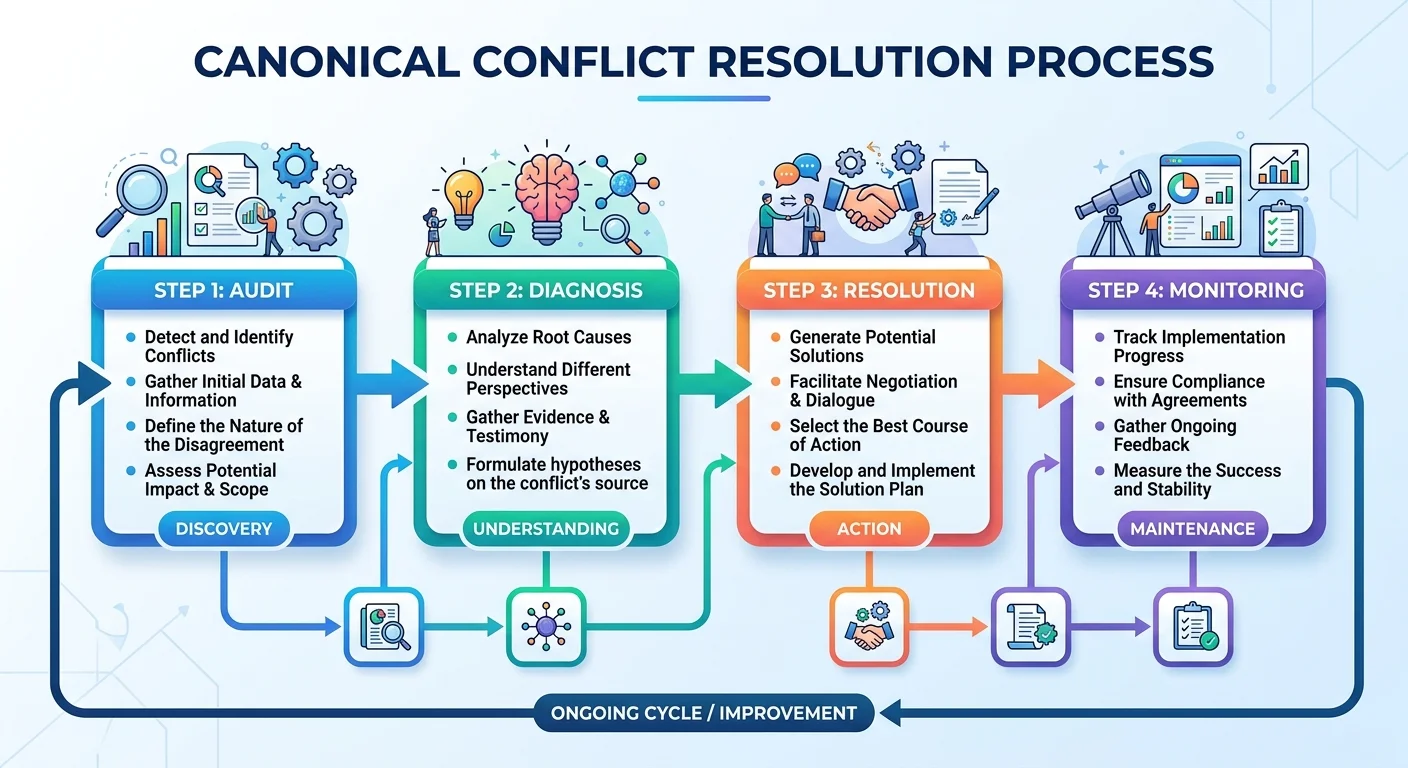
Learning to fix canonical tag conflicts is a core skill for any SEO practitioner working on technical site health. The process follows a clear path: audit every signal, resolve HTML and header mismatches, align your sitemaps and redirects, then validate your results in Search Console.
No single step is optional, because conflicting signals in any layer can undermine the work you did in the others. Treat canonicalization as an ongoing discipline rather than a one-time project, and your indexing issues will become far more manageable over time.
Disclaimer: Portions of this content may have been generated using AI tools to enhance clarity and brevity. While reviewed by a human, independent verification is encouraged.