Duplicate content is one of the most persistent and misunderstood problems in technical SEO. When search engines encounter multiple URLs serving the same or substantially similar content, they must decide which version to index and rank. That decision doesn't always go your way.
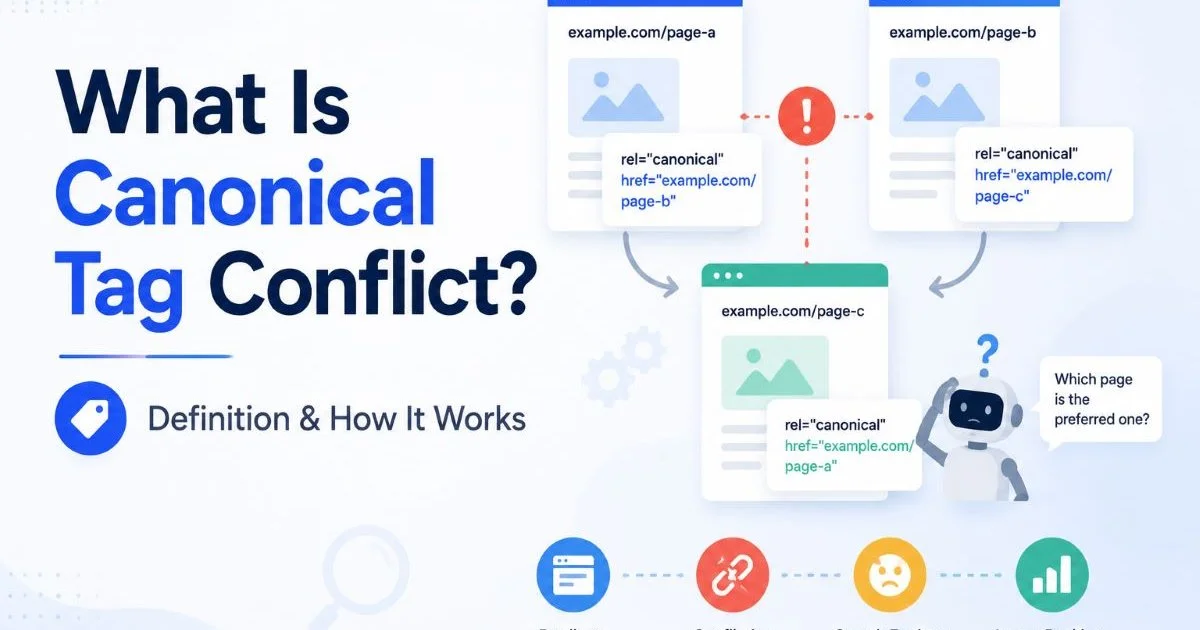
Without proper canonicalization signals, you risk splitting link equity, wasting crawl budget, and watching the wrong page appear in search results. URL canonicalization gives you a mechanism to tell Google and other engines which version of a page is the authoritative one. This guide walks you through the practical steps of identifying, diagnosing, and resolving duplicate content issues so your site's indexing stays clean and intentional. Understanding how canonical tag conflicts work is a prerequisite before you start fixing anything.
Key Takeaways
- Duplicate content splits link equity and confuses search engine indexing decisions across your site.
- Canonical tags are the primary tool for telling search engines which URL version to prioritize.
- Parameter-heavy URLs, HTTP/HTTPS variants, and trailing slashes are common duplication sources.
- Regular audits with crawling tools catch canonicalization drift before it impacts rankings.
- Self-referencing canonical tags on every page prevent accidental duplication from the start.
Step 1: Identify Your Duplicate Content Sources
Before you can fix anything, you need to understand where duplication actually originates on your site. Most intermediate practitioners know about obvious cases like copied text across pages. But the more insidious type of duplicate content comes from technical URL structures that serve identical HTML from different addresses. Your CMS, server configuration, and URL parameters are often the culprits, not careless copywriting.
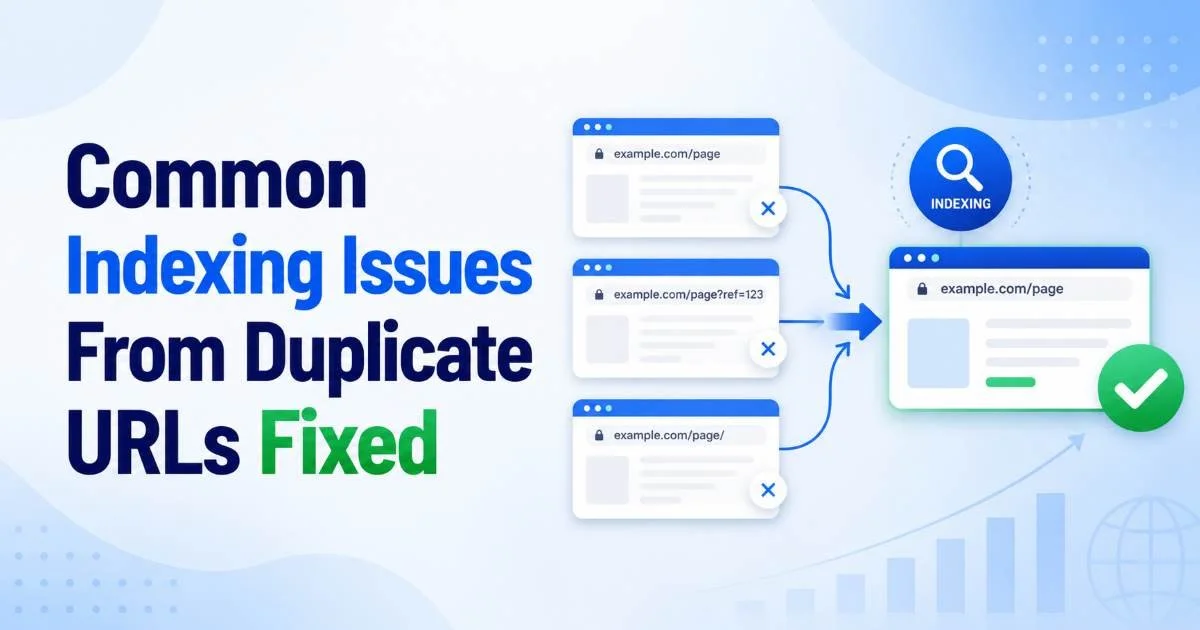
Start by crawling your entire site with a tool like Screaming Frog or Sitebulb. Export the list of all indexable URLs and sort them by page title or content hash. You will likely discover clusters of pages with identical or near-identical content served at different URLs. Pay special attention to pages with query parameters, session IDs, and tracking codes appended to the URL. These create technically distinct URLs that serve the same content.
Common URL Variations That Create Duplicates
The most frequent offenders are protocol variations (HTTP vs. HTTPS), www vs. non-www versions, trailing slash inconsistencies, and case sensitivity differences. An e-commerce site might also generate duplicates through faceted navigation, where filtering by color or size creates new URLs with the same product listing. Each of these scenarios produces a distinct URL that Googlebot treats as a separate page, even though the content is identical.
| Duplication Source | Example | Risk Level |
|---|---|---|
| HTTP vs. HTTPS | http://site.com/page vs. https://site.com/page | High |
| www vs. non-www | www.site.com/page vs. site.com/page | High |
| Trailing slash | /page/ vs. /page | Medium |
| URL parameters | /products?color=red vs. /products | Medium |
| Case variations | /Page vs. /page | Low |
| Session IDs | /page?sid=abc123 | High |
Run a "site:" search in Google for your domain and look for multiple indexed versions of the same page. This quick manual check often reveals duplication Google has already discovered.
Step 2: Implement Canonical Tags Correctly
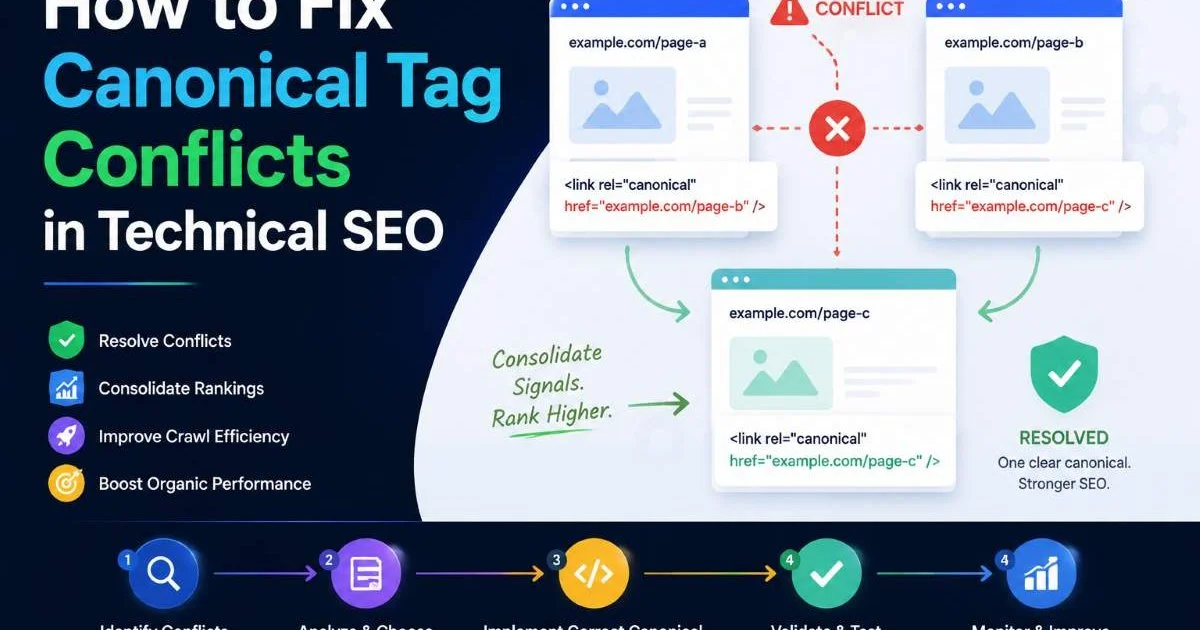
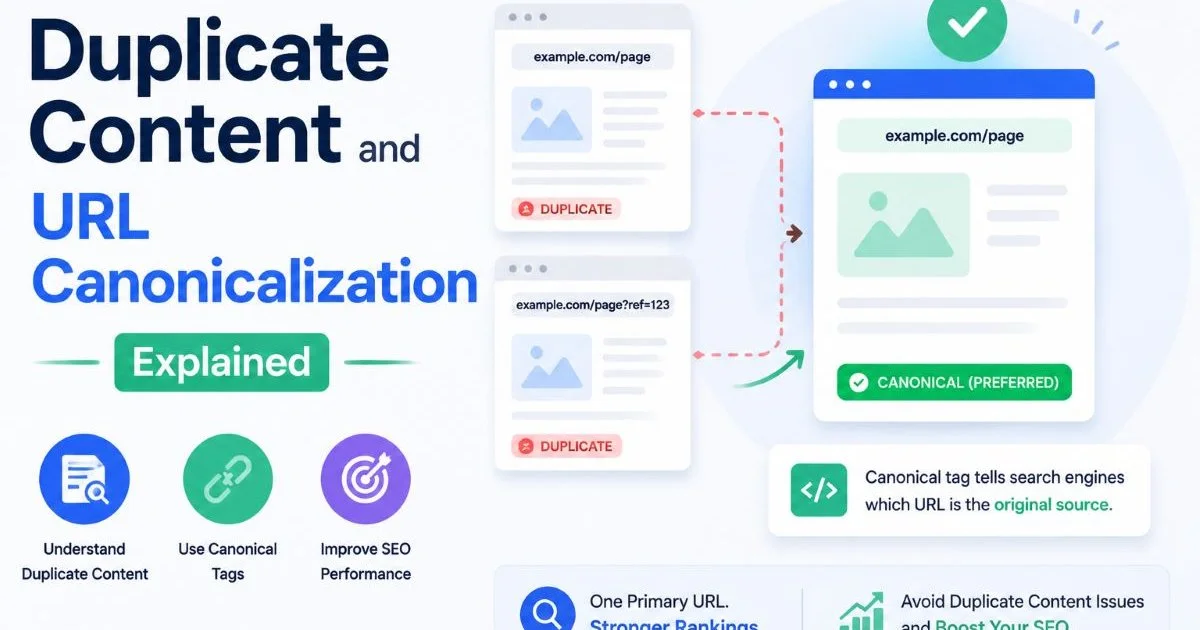
The rel="canonical" tag is your primary directive for telling search engines which URL should be considered the master version. Place it in the <head> section of every page that might have duplicate variants. The tag should point to the single preferred URL, and every duplicate version should reference that same canonical. This consolidates link signals and tells crawlers to index only the version you choose.
Correct implementation means the canonical URL must be an absolute URL, not a relative one. It should use the preferred protocol (HTTPS) and the preferred domain format (www or non-www, whichever you have standardized). A canonical tag pointing to a 404 page, a redirected URL, or a noindexed page sends mixed signals that Google will likely ignore. Consistency matters more than anything else in canonicalization.
Never point a canonical tag to a URL that itself has a different canonical. Canonical chains confuse search engines and often result in Google choosing its own preferred version.
Self-Referencing Canonicals
Every indexable page on your site should include a self-referencing canonical tag. This means the canonical URL on a page points to itself. While this might seem redundant, it acts as a safeguard against parameter injection, scraped content, and accidental URL variations. Google's John Mueller has confirmed that self-referencing canonicals are a best practice. If someone links to your page with a rogue query parameter appended, the self-referencing canonical tells Google to ignore that variant.
When implementing tags at scale, work with your development team to build canonical logic into your CMS templates rather than managing them page by page. Most modern platforms like WordPress (with plugins like Yoast), Shopify, and custom frameworks allow you to set canonical rules at the template level. This approach scales properly and reduces the risk of human error. Test your implementation across multiple page types: homepage, category pages, product pages, blog posts, and paginated archives.
"A canonical tag is a suggestion to Google, not a directive. If your other signals contradict it, Google will override your preference."
Step 3: Audit and Validate Your Canonicalization
Implementing canonical tags is only half the battle. You need to verify they are working as intended and that Google is actually respecting your choices. The gap between what you declare and what Google indexes can be surprising. Regular audits catch problems before they compound into ranking losses. You can use our canonical URL checker to quickly validate tags across your site's pages.
Google Search Console is your first stop for validation. The URL Inspection tool shows you the "Google-selected canonical" for any URL, which tells you whether Google agrees with your declared canonical. If the Google-selected canonical differs from what you specified, something is wrong. Common causes include conflicting signals (like internal links pointing to the non-canonical version), sitemaps listing non-canonical URLs, or the canonical page returning a non-200 status code.
Tools and Methods for Validation
Beyond Search Console, schedule regular crawls using Screaming Frog or Sitebulb to extract canonical tags from every page. Filter for pages where the declared canonical doesn't match the page URL (excluding intentional cross-page canonicals). Flag any pages with missing canonicals, multiple canonical tags, or canonicals pointing to non-indexable URLs. These are all signs of technical issues that need prompt attention.
Cross-reference your sitemap with your canonical declarations. Every URL in your XML sitemap should be the canonical version of that page. If your sitemap includes non-canonical URLs, you are sending Google contradictory instructions. Similarly, check your internal linking structure. When you link internally, always link to the canonical version of the URL. Internal links are strong signals, and linking to non-canonical variants undermines your canonicalization strategy. Consider automating these checks as part of your monthly SEO workflow.
Google treats canonical tags as hints, not commands. If your page content, internal links, and sitemap all point to a different URL than your canonical tag, Google will likely follow the stronger signals.
Step 4: Handle Edge Cases and Advanced Scenarios
Standard canonicalization covers most situations, but real-world SEO involves edge cases that require more nuanced approaches. Paginated content, hreflang implementations, and syndicated articles all present unique challenges. Paginated pages (like page 2 and page 3 of a blog archive) should each have self-referencing canonicals, not canonical tags pointing back to page 1. Each paginated page shows different content and deserves its own canonical.
When dealing with AI-powered content generation and marketing automation, the risk of duplicate content multiplies. Teams using large language models for content creation should implement strict canonicalization workflows. As this guide on LLMs for marketing highlights, AI tools can produce similar content at scale, making canonical tag discipline even more important. Every generated page needs a unique canonical or an intentional consolidation strategy.
Cross-Domain and Syndicated Content
Cross-domain canonicals allow you to point a page on one domain to the original version on another domain. This is particularly useful when syndicating content to partner sites. If your article appears on both your site and a publication's site, the syndicated version should include a cross-domain canonical tag pointing to your original URL. Not all sites will agree to add this tag, but when they do, it protects your content's ranking authority effectively.
Privacy and compliance also intersect with canonicalization in interesting ways. Sites that create duplicate versions of pages for different regulatory contexts (like GDPR-compliant cookie consent variants) should canonicalize back to the primary version. Understanding the privacy risks of AI systems is relevant here, especially for sites that dynamically generate pages based on user data or consent states. These dynamically generated variants can create unexpected indexing issues if canonical tags are not properly managed.
For e-commerce sites with faceted navigation, use a combination of canonical tags and the robots meta tag. Canonicalize filtered pages back to the main category page, and consider adding noindex to deep filter combinations that have no search value.
Another advanced scenario involves JavaScript-rendered content. If your canonical tag is injected via client-side JavaScript, Google may not always read it correctly during the initial crawl phase. Google renders JavaScript on a delayed schedule, which means the canonical signal might arrive too late to influence the first indexing pass. Always include canonical tags in the server-rendered HTML response, not just in the JavaScript-rendered DOM. This is especially relevant for single-page applications and sites using React or Angular without server-side rendering.
Frequently Asked Questions
?How do I add a self-referencing canonical tag to every page?
?Does a 301 redirect work better than a canonical tag for duplicates?
?How long does it take Google to recognize a canonical tag after adding it?
?Can canonical tag conflicts actually cause the wrong page to rank?
Final Thoughts
Duplicate content and URL canonicalization are not problems you solve once and forget. They require ongoing monitoring as your site grows, your CMS evolves, and your content strategy scales. Build canonical tag audits into your regular technical SEO reviews.
Treat every new page template, URL parameter, and content syndication agreement as a potential source of duplication that needs a canonicalization plan. The work is not glamorous, but clean canonicalization is the foundation that keeps your indexing predictable and your rankings stable.
Disclaimer: Portions of this content may have been generated using AI tools to enhance clarity and brevity. While reviewed by a human, independent verification is encouraged.