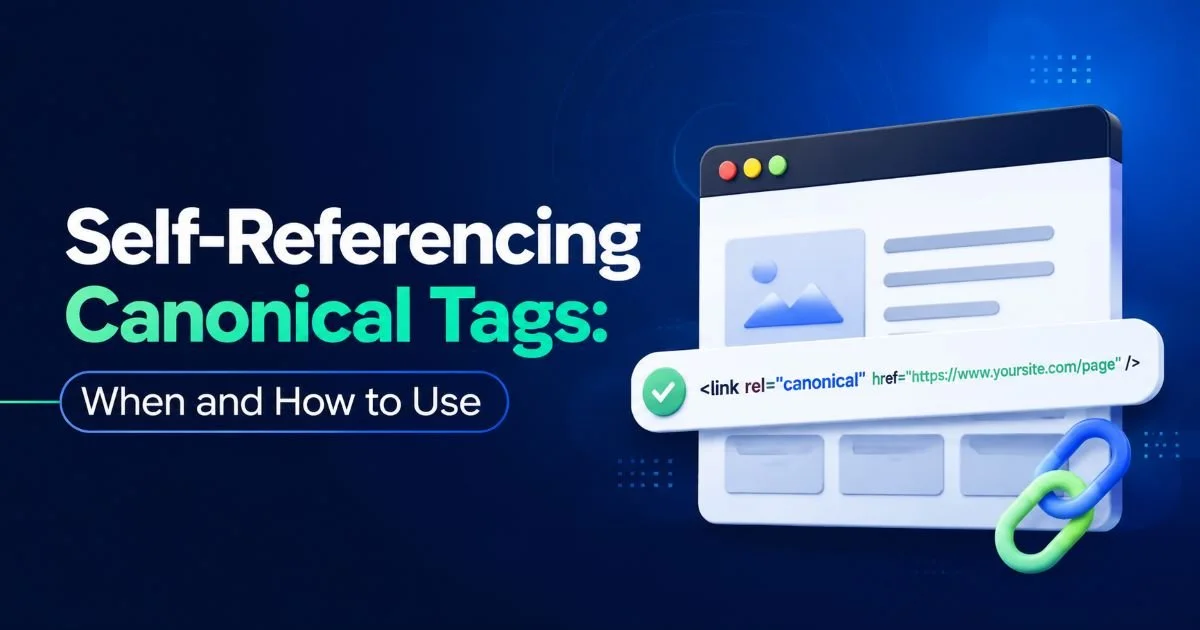
Canonical tags are one of the most practical tools in a technical SEO toolkit, yet many practitioners misunderstand how self-referencing canonicals work. A self-referencing canonical is a tag on a page that points to its own URL, essentially telling search engines, "This is the original version of this page."
While that might sound redundant, it serves a real purpose: it reinforces which URL you want indexed and prevents search engines from choosing an alternate version on your behalf.
When you understand how canonical tag conflicts work, self-referencing canonicals become a natural defensive measure. This tutorial walks you through the exact steps to implement self-referencing canonical tags correctly, avoid common pitfalls, and verify everything is working as intended. By the end, you'll have a repeatable process for any site you manage.
Key Takeaways
- Self-referencing canonical tags prevent search engines from choosing the wrong URL version.
- Every indexable page on your site should have exactly one canonical tag.
- Incorrect implementation can cause indexing issues and dilute ranking signals.
- Always validate your canonical tags after deployment using automated tools.
- Self-referencing canonicals complement, but do not replace, proper URL structure and redirects.
Step 1: Understand Why Self-Referencing Canonicals Matter
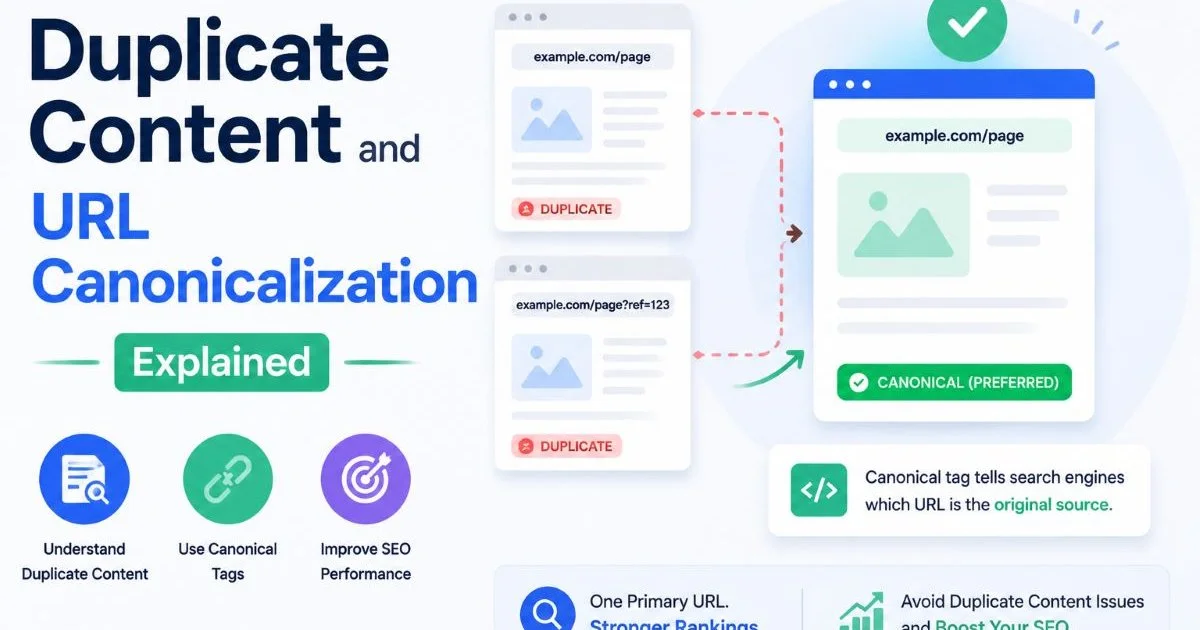
Before writing a single line of code, you need to understand the problem self-referencing canonicals solve. Search engines regularly encounter multiple versions of the same page. URL parameters for tracking, session IDs, sorting filters, and protocol variations (HTTP vs. HTTPS) all create duplicate content scenarios. Without clear direction, Google picks a canonical URL on its own, and it might not choose the one you prefer.
A self-referencing canonical tag is your way of being explicit. By placing a rel="canonical" tag on a page that points to its own URL, you remove ambiguity. Google has confirmed that self-referencing canonicals are recommended and that they help the search engine understand your intent. This is not about fixing an error; it is about proactive URL management.
What Happens Without Them
Without a self-referencing canonical, search engines may consolidate signals across duplicate URLs in unpredictable ways. For example, if someone links to yoursite.com/page?ref=twitter instead of yoursite.com/page, that link equity could flow to the parameterized version. As outlined in this guide on duplicate content and URL canonicalization, this fragmentation weakens your ranking potential over time.
The downstream effects are measurable. You may see split impressions in Google Search Console, with the same content appearing under multiple URLs. Pages might take longer to index or get dropped from the index entirely. Self-referencing canonicals act as an anchor, keeping your preferred URL version stable in search results.
A missing canonical tag is not the same as a self-referencing one. No tag means no signal; a self-referencing tag means a clear, intentional signal.
Step 2: Audit Your Existing Canonical Tags
Before implementing anything new, audit what already exists. Many sites have canonical tags in place, but they may be misconfigured, pointing to the wrong URL, or conflicting with other directives. A thorough audit prevents you from layering fixes on top of existing problems. Start by crawling your site with a tool that extracts canonical tag data from every page.
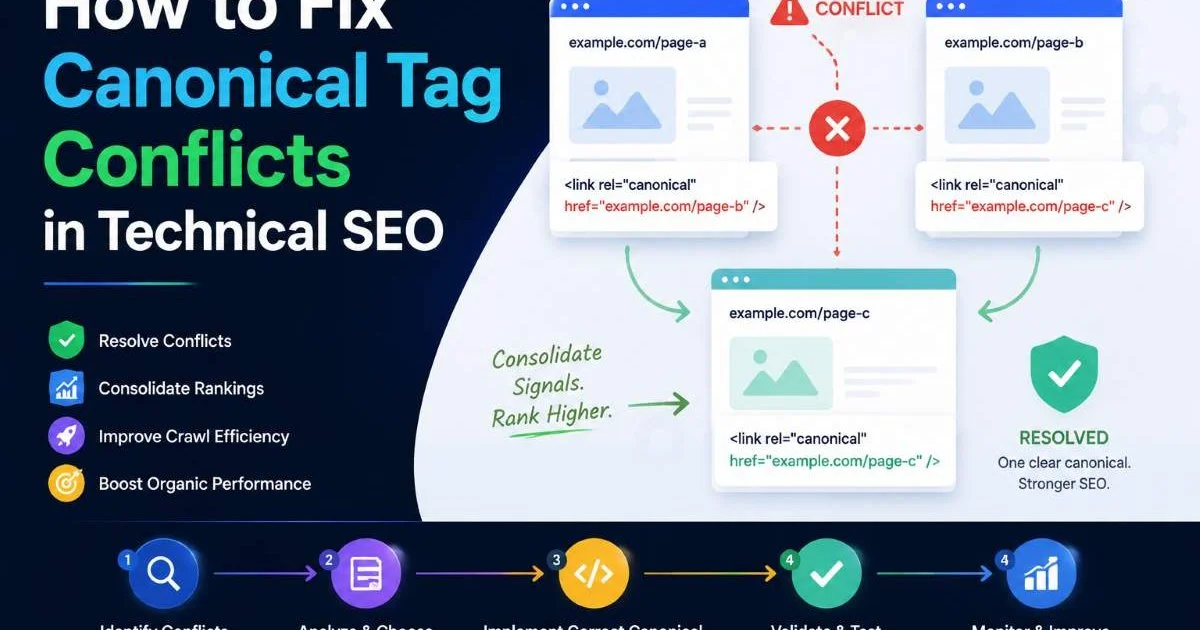
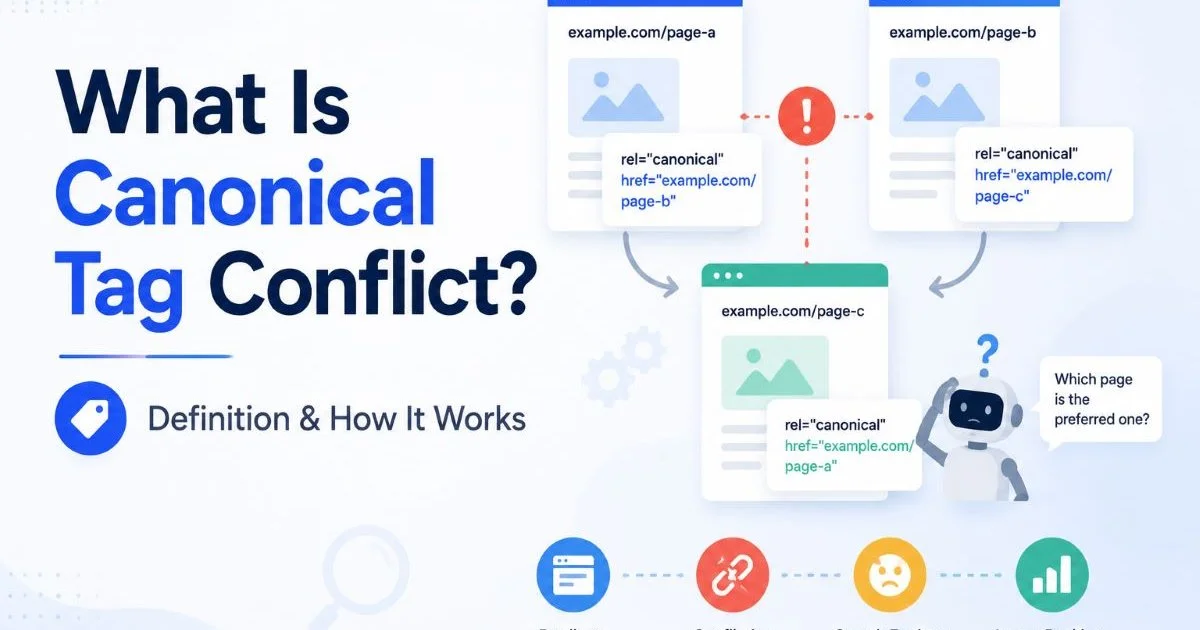
During the audit, you are looking for several specific patterns. Pages without any canonical tag need one added. Pages with a canonical that points to a different URL need evaluation: is that cross-reference intentional, or is it an error? Pages with multiple canonical tags (which happens more often than you would expect, especially on WordPress sites with conflicting plugins) need cleanup. If you encounter conflicting signals, this resource on fixing canonical tag conflicts in technical SEO provides a detailed breakdown.
Tools and Methods for Auditing
Screaming Frog is the standard for crawling canonical tags at scale. Set up a crawl, then filter by the "Canonicals" tab to see which pages have self-referencing tags, which have cross-domain canonicals, and which are missing tags entirely. For quick spot checks, you can use the canonical URL checker to inspect individual pages without running a full crawl.
| Audit Finding | Severity | Recommended Action |
|---|---|---|
| No canonical tag present | High | Add self-referencing canonical |
| Canonical points to wrong URL | High | Correct href to preferred URL |
| Multiple canonical tags on page | High | Remove duplicates, keep one |
| Canonical uses relative URL | Medium | Switch to absolute URL |
| Canonical on noindex page | Medium | Remove canonical or noindex |
| Self-referencing canonical present | None | No action needed |
Export your crawl data to a spreadsheet and create a column for "Action Required." This makes it easy to track progress and hand off tasks to developers.
At the end of this step, you should have a complete inventory of every page on your site and its current canonical status. Flag every page that needs a change, and prioritize high-traffic pages and pages that rank for competitive keywords.
Step 3: Implement Self-Referencing Canonical Tags Correctly
Implementation is straightforward in theory but easy to get wrong in practice. The canonical tag belongs in the <head> section of your HTML. The format is: <link rel="canonical" href="https://yoursite.com/page/" />. The href value must be the exact URL you want search engines to index, including the correct protocol (HTTPS), the preferred domain version (www or non-www), and the correct trailing slash convention your site uses.
For most CMS platforms, you can implement this at the template level. WordPress, for example, allows theme-level or plugin-level canonical tag injection. If you use Yoast SEO or Rank Math, self-referencing canonicals are typically added automatically. However, always verify the output. Plugins sometimes conflict with each other, producing duplicate tags or overriding your settings. On custom-built sites, your development team should add the tag dynamically using server-side logic that outputs the current page's clean URL.
"A canonical tag is a suggestion to search engines, not a directive. If the rest of your technical signals contradict it, Google may ignore your canonical entirely."
Common Mistakes to Avoid
The most frequent mistake is using relative URLs instead of absolute URLs. A canonical tag with href="/page/" instead of href="https://yoursite.com/page/" can cause confusion, especially when pages are accessed through different protocols or subdomains. Google's documentation explicitly recommends absolute URLs. Another common error is canonicalizing paginated pages to page one. If pages two, three, and four of a paginated series all point their canonical to page one, those subsequent pages will be de-indexed.
Watch out for canonical tags that include tracking parameters, session IDs, or other dynamic strings. Your canonical URL should always be the clean, static version of the page. Additionally, never place a canonical tag in the <body> of your HTML. Search engines only parse canonical tags found in the <head> section. If your tag appears in the body due to a rendering issue or misconfigured template, it will be completely ignored. When canonicalization goes wrong, it often leads to the kind of problems described in this article about common indexing issues from duplicate URLs.
If you are deciding between a canonical tag and a 301 redirect for duplicate pages, the choice depends on whether both URLs need to remain accessible. This comparison of canonical tags vs 301 redirects for duplicate pages at this resource covers the decision in depth.
Step 4: Validate and Monitor Your Implementation
After deploying self-referencing canonical tags, validation is not optional. Open Google Search Console and use the URL Inspection tool to check individual pages. The inspection report will show you which URL Google has selected as the canonical. If the "Google-selected canonical" matches your declared canonical, you are in good shape. If they differ, something is overriding your tag, and you need to investigate further.
Beyond Search Console, run a fresh crawl with your preferred tool to confirm that every page now has exactly one canonical tag and that it is self-referencing where intended. Pay special attention to pages generated dynamically, such as filtered product listings or search result pages. These are the most likely to have missing or incorrect canonicals because they are often rendered client-side. As AI-powered content tools generate more pages at scale, automated canonical tag management becomes even more important.
Ongoing Monitoring Practices
Canonical tag monitoring should be part of your regular technical SEO workflow, not a one-time task. Schedule monthly crawls and set up alerts for pages where the canonical tag changes unexpectedly. Site updates, CMS migrations, and new plugin installations can all disrupt your canonical setup. Many teams miss these regressions because they only check canonicals during initial implementation.
You should also be mindful of how your site handles data collection and privacy compliance. If your pages dynamically inject consent banners or tracking scripts, these modifications can sometimes interfere with how the <head> section renders. Resources on AI tools and their impact on data privacy highlight how third-party scripts interact with page structure. Periodically render your pages in a headless browser to verify the canonical tag is present in the final HTML output, not just in the source code.
Create a simple dashboard that tracks the percentage of your pages with correct self-referencing canonicals over time. A sudden drop signals a deployment issue.
At the end of this step, you should have a verified, functioning implementation across your entire site. Every indexable page has a self-referencing canonical tag with an absolute URL. Your Search Console data confirms Google is respecting your declared canonicals. And you have a monitoring process in place to catch regressions before they affect your rankings.
Frequently Asked Questions
?How do I add a self-referencing canonical tag to a page?
?Can a self-referencing canonical replace URL redirects entirely?
?How long does it take Google to recognize a self-referencing canonical?
?Will a self-referencing canonical fix link equity lost to parameterized URLs?
Final Thoughts
Self-referencing canonical tags are a small implementation with an outsized impact on how search engines understand your site. They cost almost nothing to deploy, yet they prevent a wide range of duplicate content and URL indexing problems.
Follow the four steps in this tutorial: understand the purpose, audit your current state, implement correctly, and validate continuously. Treat your canonical tags not as a "set and forget" element but as a living part of your technical SEO infrastructure that deserves regular attention.
Disclaimer: Portions of this content may have been generated using AI tools to enhance clarity and brevity. While reviewed by a human, independent verification is encouraged.